How It Works
No group chats. No polling. Just an instant answer: can we play that date?
The Problem With Band Scheduling
A venue calls. They have an opening on the 14th and need an answer in 24 hours. So you send the group text. Two people reply right away. One replies three days later. Another says "I think so, let me check." You follow up, wait, follow up again — and by the time you have a real answer, the opportunity is gone.
CanWePlayIt was built to end that cycle.
The Core Idea
Most scheduling apps ask "when are you available?" That generates a lot of work for members and still requires someone to collate the responses. CanWePlayIt flips the model entirely:
Members keep a running list of dates they cannot play.
Everything else is assumed available.
Members update their unavailability whenever their schedule changes — and that's it. The leader never has to ask. When a booking opportunity comes in, the leader opens the app, picks the date, and gets an instant answer.
Features
⚡ Instant Booking Check
Enter a date and see immediately whether every member is available. No waiting, no guessing.
📅 Unavailability Calendar
Members mark the dates they can't play — single days, weekends, or multi-week ranges — on a simple tap-and-drag calendar.
🎸 Multiple Bands
Play in more than one group? No problem. Availability is tracked per band so your commitments never cross-contaminate.
🔄 Built-In Substitute System
Leaders link backup players to the members they cover. When someone can't make a gig, the sub workflow kicks in automatically.
📋 Event Management
Once a gig is booked, leaders create the event in-app with a saved venue, date, start time, end time, setup time, and sound check time. From the event detail screen, leaders send confirmation requests so members can confirm or decline with one tap.
🏛️ Venue Management
Leaders maintain a reusable venue list — each entry stores the name, address, phone, and website so every member always has the details they need for the gig.
🔔 Coverage Reminders
Members set a "covered through" date that tells the leader how far out their calendar is reliable. The app reminds them when it's time to update.
✅ Verified Accounts
New accounts, password resets, and email address changes use short email codes so bad addresses are caught before they become a scheduling problem.
📣 Real-Time Updates
Invites, declined invitations, confirmation responses, sub requests, member removals, and coverage changes update connected screens right away, with phone notifications when the app isn't open.
The Booking Check in Action
The booking check is the heart of the app. The leader picks a band and a date. The app does the rest.
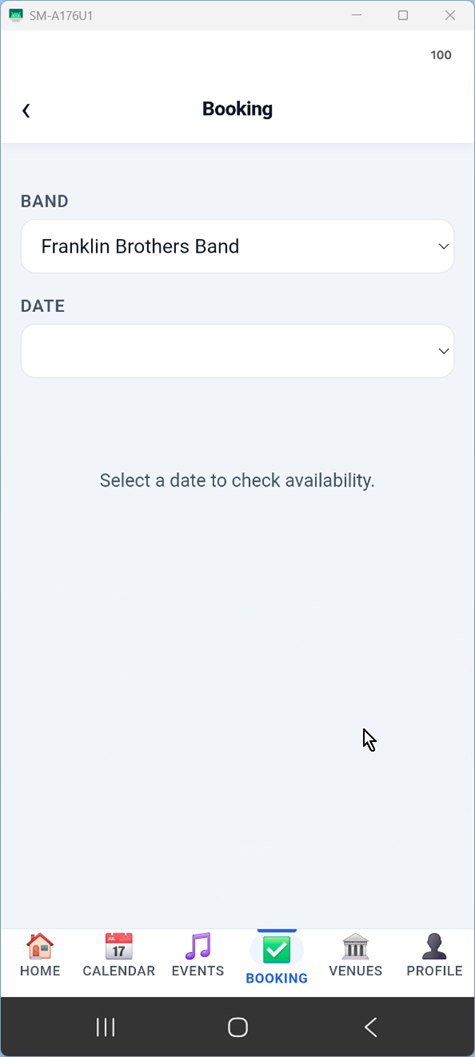
Pick a date
Tap the Booking tab, select your band, choose a saved venue, and enter the date you want to check. If the venue is new, add it to your venue list first so the gig has the details members will need later.
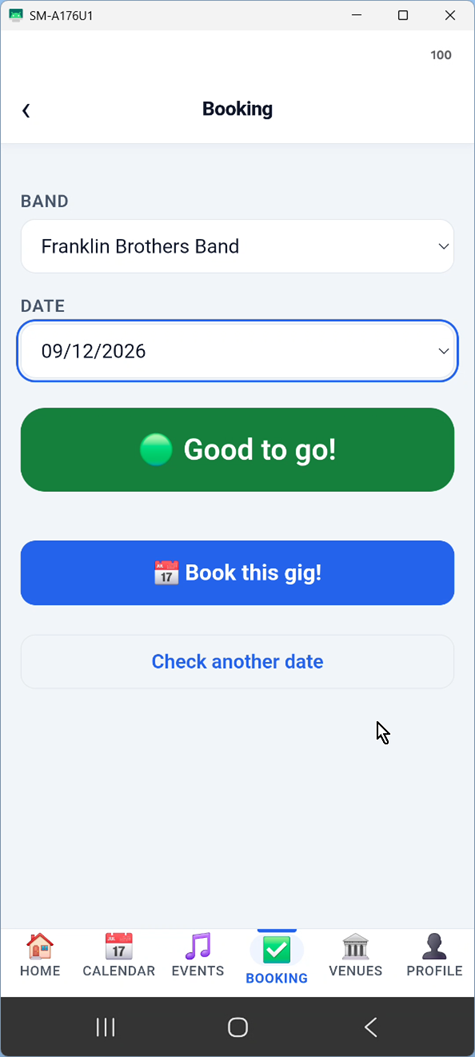
Green — good to book
Every member is available and their calendars are current through that date. You can confirm the gig with confidence.
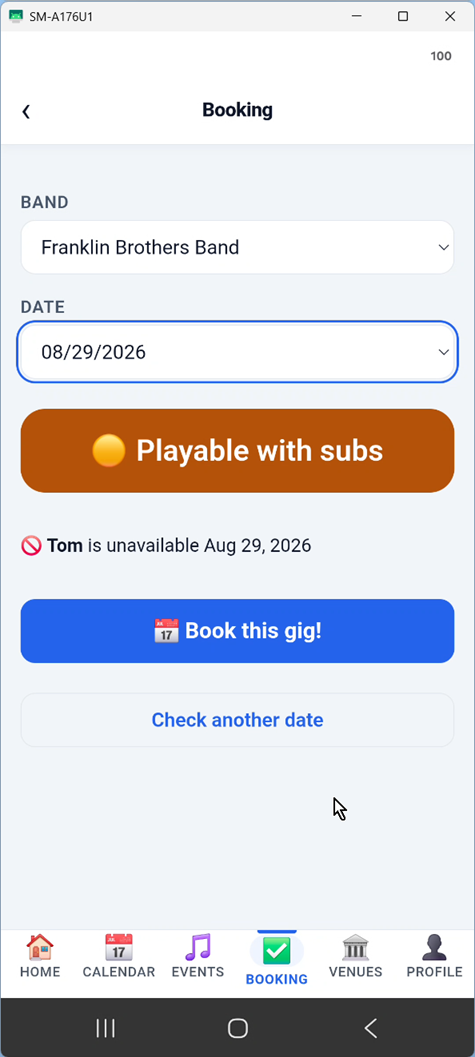
Yellow — playable with subs
At least one member is unavailable, but their designated substitute is free on that date. You can book the gig, send confirmations, and see the sub coverage status from the event details.
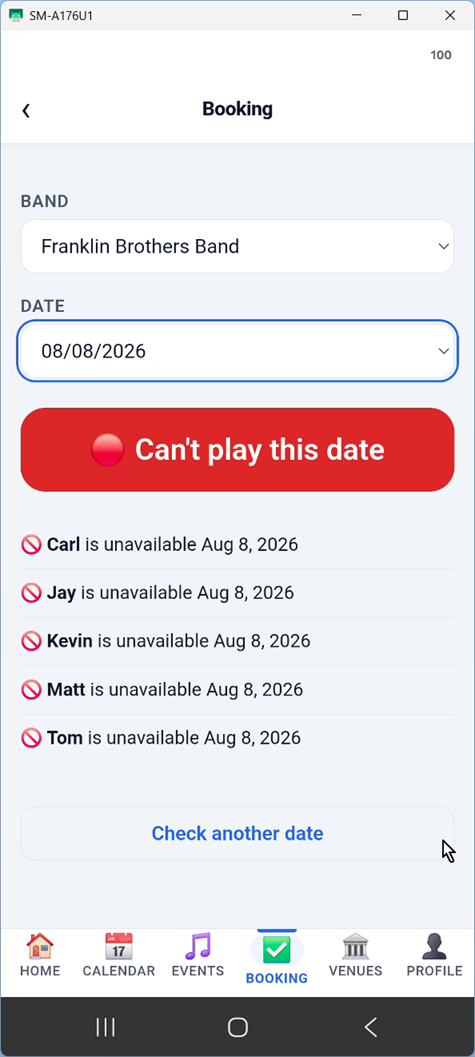
Red — there's a conflict
At least one person has a conflict on that date, or their calendar hasn't been updated far enough. The result shows exactly who the issue is with so you can address it directly or check their substitute.
Ready to get started?
Download CanWePlayIt and book your next gig in seconds.
Get Started Leader Guide